
Jnotes:Note-Taking & PDF Edit2.7.3.2 - AppGallery
You'll be able to see results in few seconds.
Publisher Description


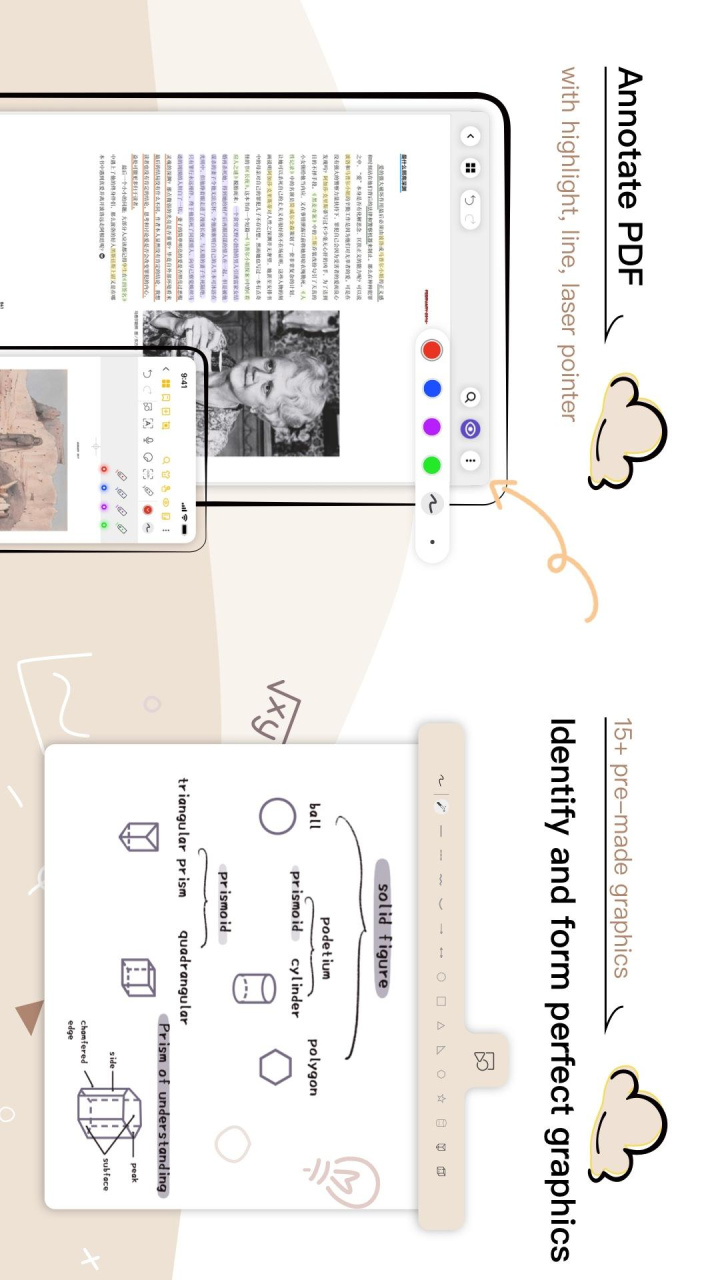

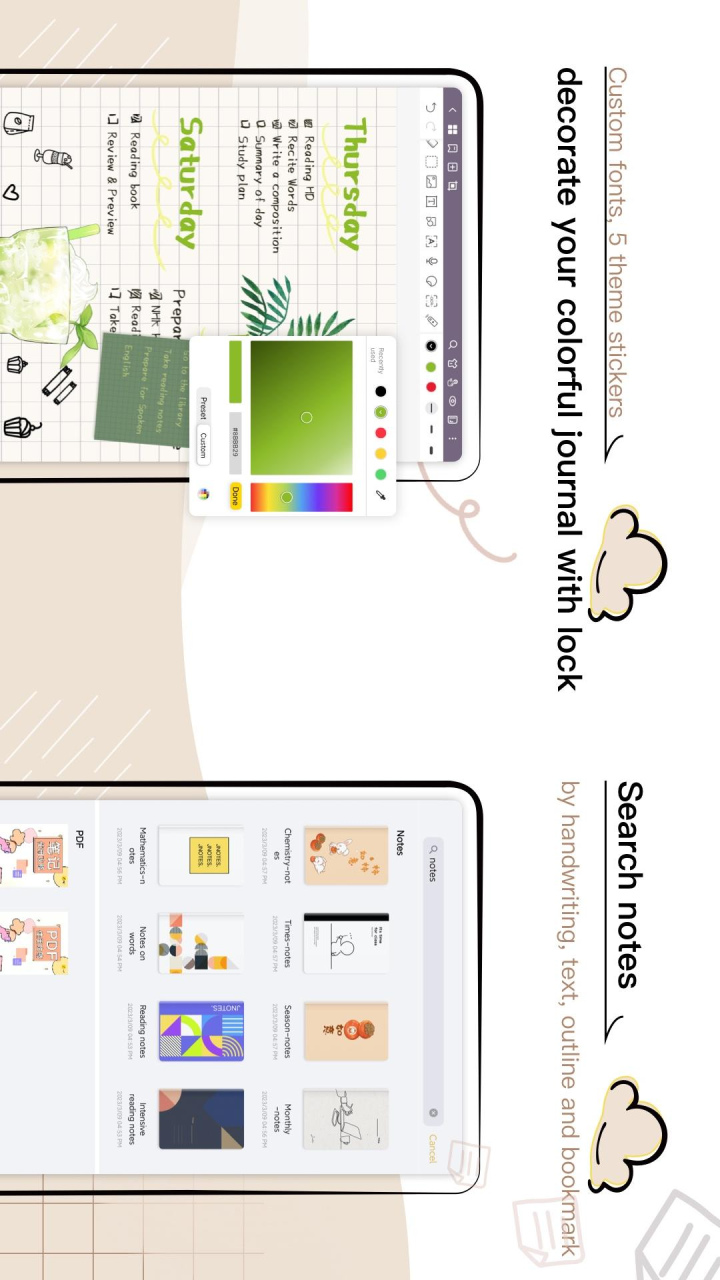
Jnotes is a note-taking app focused on handwritten notes. We're working on beautiful handwriting and Ad-free digital notepad to bring the best handwriting experience to Android. One notes app for all your notes needs.
☆ Selected by HUAWEI
2021 HMS Global Innovation Application Competition - Best Application Award
Compatible with Samsung S pen, full color pens, support for textbox font customization, vertical scrolling ,dark mode, cloud backup, and more features are coming soon.
With a variety of paper templates and highlighting pens, Jnotes can be used as a notebook, PDF annotator. Recording class highlights and annotating essays just got easier.Jnotes can also be used as daily memo recorder with photos to keeping key points in meetings and help language learning.
*Empower your handwriting
- Write beautifully with pen ink with adjustable pressure, just like writing with a real pen
- Unlimited color options for creating PDF annotations, color picker available
- Differentiate between finger mode, reading mode and stylus mode to prevent accidental touch
*PDF annotation
- Import PDF document, mark up PDF document with text boxes and various brushes
- Edit with lasso tool, take screenshots across apps,add photos freely
- Use graphics tools to draw arrows, perfect sphere
*Efficient record keeping
- Take notes while recording and play record and notes in sync
- OCR/Turn handwritten notes into editable text documents
--Create a page link, one-click direct to the note page
*Backup
- Easily back up to Huawei Cloud and Onedrive, let your daily memo follow you, never worry about losing them again
- Export as image, PDF document
*Fast keeping management
- Create multi-level folders
-Add bookmarks,your own outlines, search your notes in handwriting or text
We respect your privacy. No content without explicit consent will be stored on our servers.
Download Jnotes now and start your day with efficient note-taking!
Jnotes needs your support and encouragement! If you have any comments or suggestions, please contact us: cyndi@jideos.com
About Jnotes:Note-Taking & PDF Edit
The company that develops Jnotes:Note-Taking & PDF Edit is 深圳技德应用技术有限公司. The latest version released by its developer is 2.7.3.2.
To install Jnotes:Note-Taking & PDF Edit on your Huawei device, just click the green Continue To App button above to start the installation process. The app is listed on our website since 2023-05-27 and was downloaded 1 times. We have already checked if the download link is safe, however for your own protection we recommend that you scan the downloaded app with your antivirus. Your antivirus may detect the Jnotes:Note-Taking & PDF Edit as malware as malware if the download link to C104155599 is broken.
How to install Jnotes:Note-Taking & PDF Edit on your Huawei device:
- Click on the Continue To App button on our website. This will redirect you to Huawei Store.
- Once the Jnotes:Note-Taking & PDF Edit is shown in the Huawei Store listing of your Huawei device, you can start its download and installation. Tap on the Install button located below the search bar and to the right of the app icon.
- A pop-up window with the permissions required by Jnotes:Note-Taking & PDF Edit will be shown. Click on Accept to continue the process.
- Jnotes:Note-Taking & PDF Edit will be downloaded onto your device, displaying a progress. Once the download completes, the installation will start and you'll get a notification after the installation is finished.
Program Details
System requirements
Download information
Pricing
Version History
version 2.7.3.2-hw
posted on 2023-05-27
Disclaimer
Official AppGallery Link
We do not host Jnotes:Note-Taking & PDF Edit on our servers. We did not scan it for viruses, adware, spyware or other type of malware. This app is hosted by Huawei and passed their terms and conditions to be listed there. We recommend caution when installing it.
The AppGallery link for Jnotes:Note-Taking & PDF Edit is provided to you by apps112.com without any warranties, representations or guarantees of any kind, so access it at your own risk.
If you have questions regarding this particular app contact the publisher directly. For questions about the functionalities of apps112.com contact us.
